Minerva Monthly Update - August 2024
- Tags
- News for Staff
The August update introduces improvements to Blackboard Assignments, Forms, conditional availability and options to follow Discussions.
Blackboard Assignments
Blackboard Assignments have been updated to remove functionality more relevant to Tests e.g. the option to add questions. This means the interface is simpler and free of functionality you'd expect to find in Tests.
For students, the experience is also improved. Previously, students had to 'start' an Assignment to view instructions. This means draft attempts were saved when no work was started. Now students can view instructions without starting an attempt.
For information on how to set up Assignments, read our guide on Assignments.
Blackboard Forms
Blackboard Forms can be used in a variety of situations to get feedback from your students. For example, you can use a Form to help you place students in a clinical placement or learn about student interests and opinions. Now it is possible to receive anonymous responses.
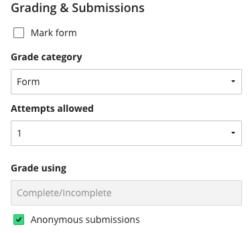
To do this, when setting up the Form, click on the settings cog to open the settings panel and enable Anonymous submissions in the Grading & Submissions section.

For more information, read our guide on Blackboard Forms.
Conditional Availability
It is now possible to create multiple rules for release conditions. You can create rules for release conditions based on these criteria: date, time, and grade range performance criteria. You can also create rules for specific individual learners, groups, or for all members.
For more information, read our guide on Conditional Availability.
Follow Discussions
Our supplier is working to improve the options available to staff and students to receive notifications about Discussions. In the August update, staff and students receive notifications in the Activity Stream. In September, we expect staff and students to have new email options for updates to Discussions they follow.
At present, you will receive updates to Discussion in the Activity Stream. By default, you will receive updates to activity on your responses or responses you reply to. You will also receive updates for posts from Instructors. If you choose to 'Follow' a Discussion, you will receive updates on all activity.
To follow a discussion, click on the Follow button within the Discussion:

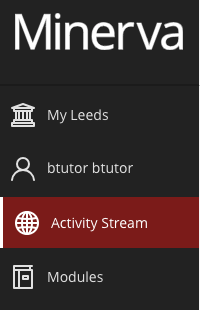
To view notifications, go to the Activity Stream in Minerva (accessed via the navigation bar on the left when you log into Minerva):
Click the settings cog in the top right to amend settings: