
Minerva Monthly Update - February
- Tags
- News for Staff
In the February update there are updates to Minerva Documents and the Banner image.
Stack blocks vertically in Minerva Documents
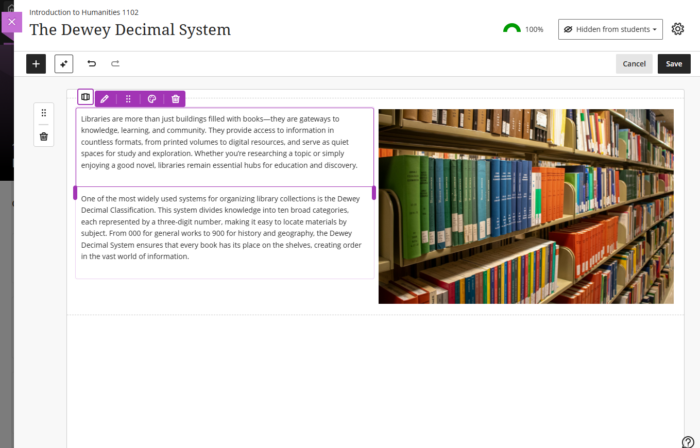
Instructors can now stack blocks in a single column in Documents to create cleaner layouts and reduce whitespace. A new toggle in the block toolbar allows switching between column-level and block-level editing. In column mode, actions apply to the entire column. In block mode, instructors can resize, move, or delete individual blocks.
Columns can also be dropped into another block’s area for more flexible layouts. These changes work with existing features such as undo/redo, printing, and AI layout generation. This enhancement also includes accessibility improvements for screen readers.
Module/Organisation Banners
Any module or organisation can have a Banner (an image that displays at the top of the module content page). In the January update, the module name/id was displayed at the bottom of the Banner with a dark gradient to ensure the text had sufficient contrast with the image (to make it accessible). However, following feedback, our supplier has changed this slightly so that there is now only a dark gradient behind the text (before it covered most of the image).
Our supplier is working with clients to see if further changes are needed. If you have further feedback on the Banner image display, please contact us at [email protected].