
Minerva Monthly Update - March
- Tags
- News for Staff
The March update includes the introduction of AI‑generated Knowledge Checks, updated participation requirements for discussions, improvements to Blackboard Test and the Recording tool.
Minerva Documents - Generate Knowledge Checks with AI
Staff can now use AI tools to generate draft Knowledge Check questions within Minerva Documents. Once generated, staff can review, edit, and approve the questions before making them available to students.
When adding a Knowledge Check to your Minerva Document, you will now see options to either 'Enter my question' or 'Auto-generate question'.
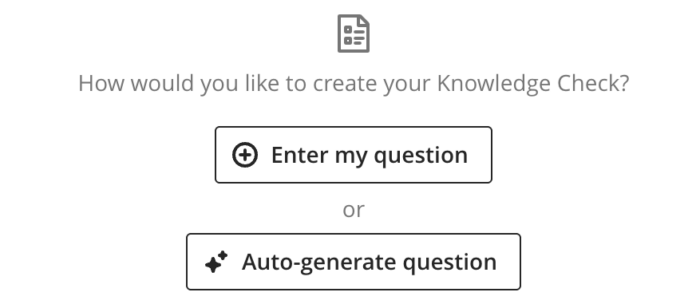
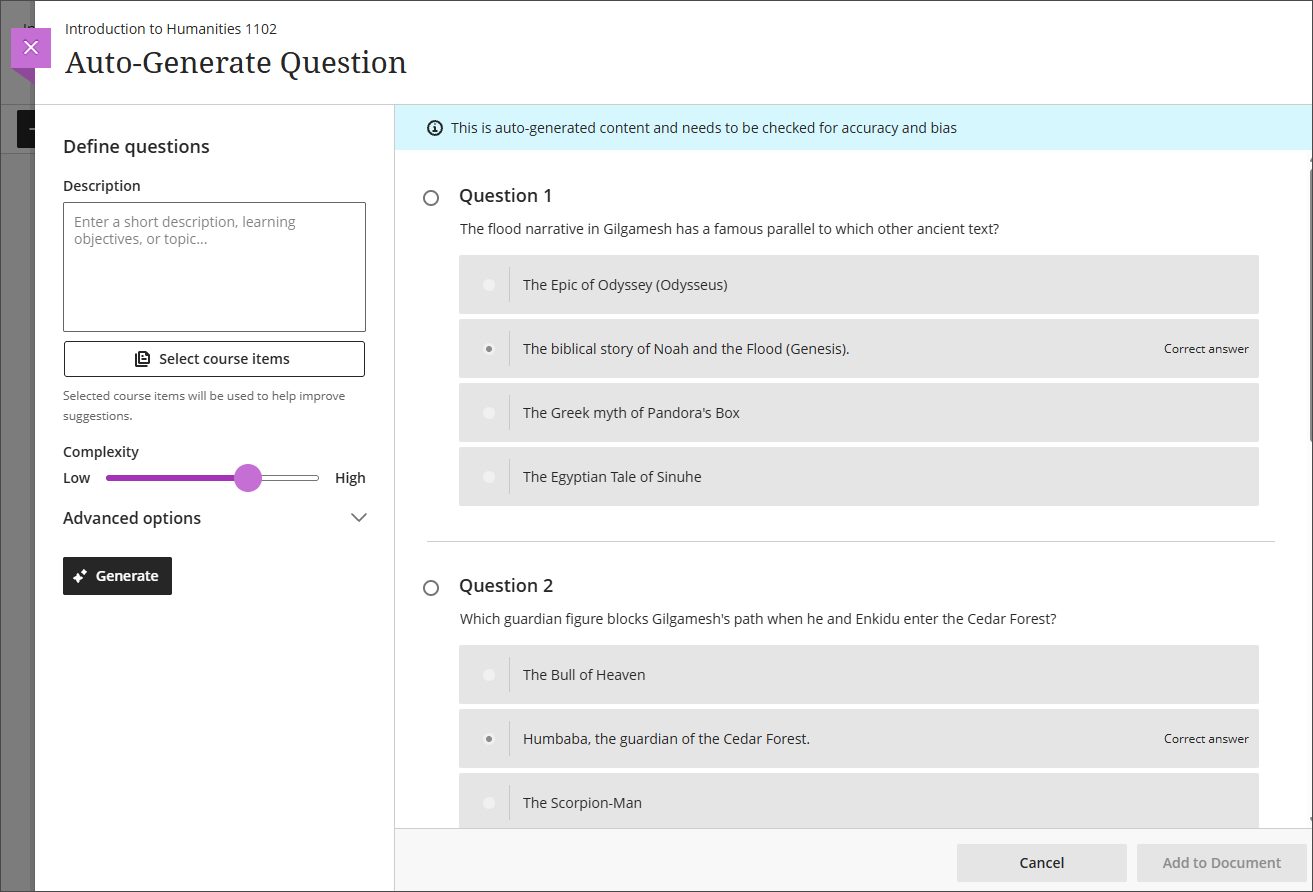
If you select 'Auto-generate question', the AI will generate questions based on your module name and content in the Minerva Document. If you prefer, you can add text to the Description text box or reference items in your module to inspire the AI. Select questions you wish to add to your Minerva Document. They can be edited after this step.
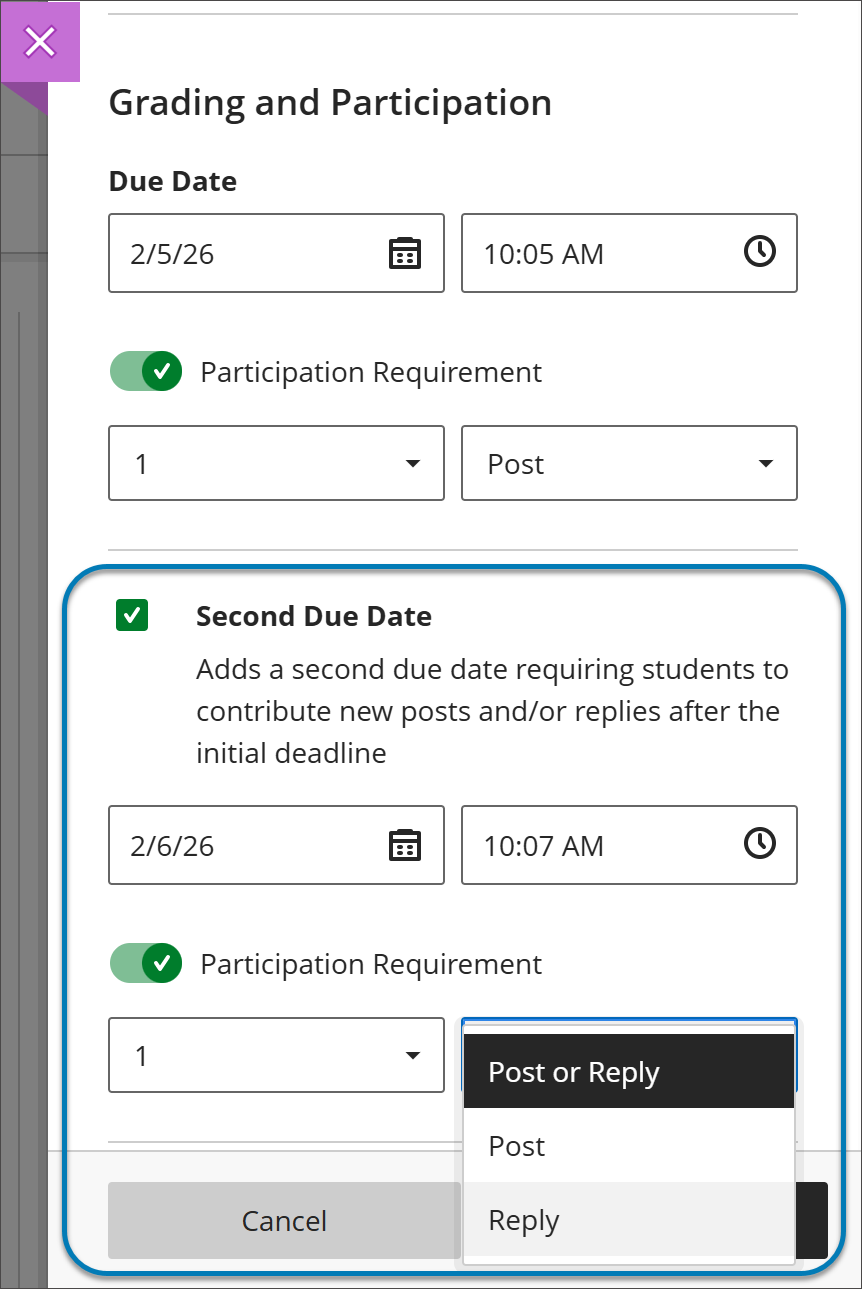
Second participation requirement and due date for discussions
Blackboard Tests
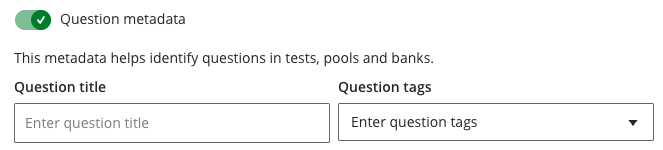
Question title field relocated
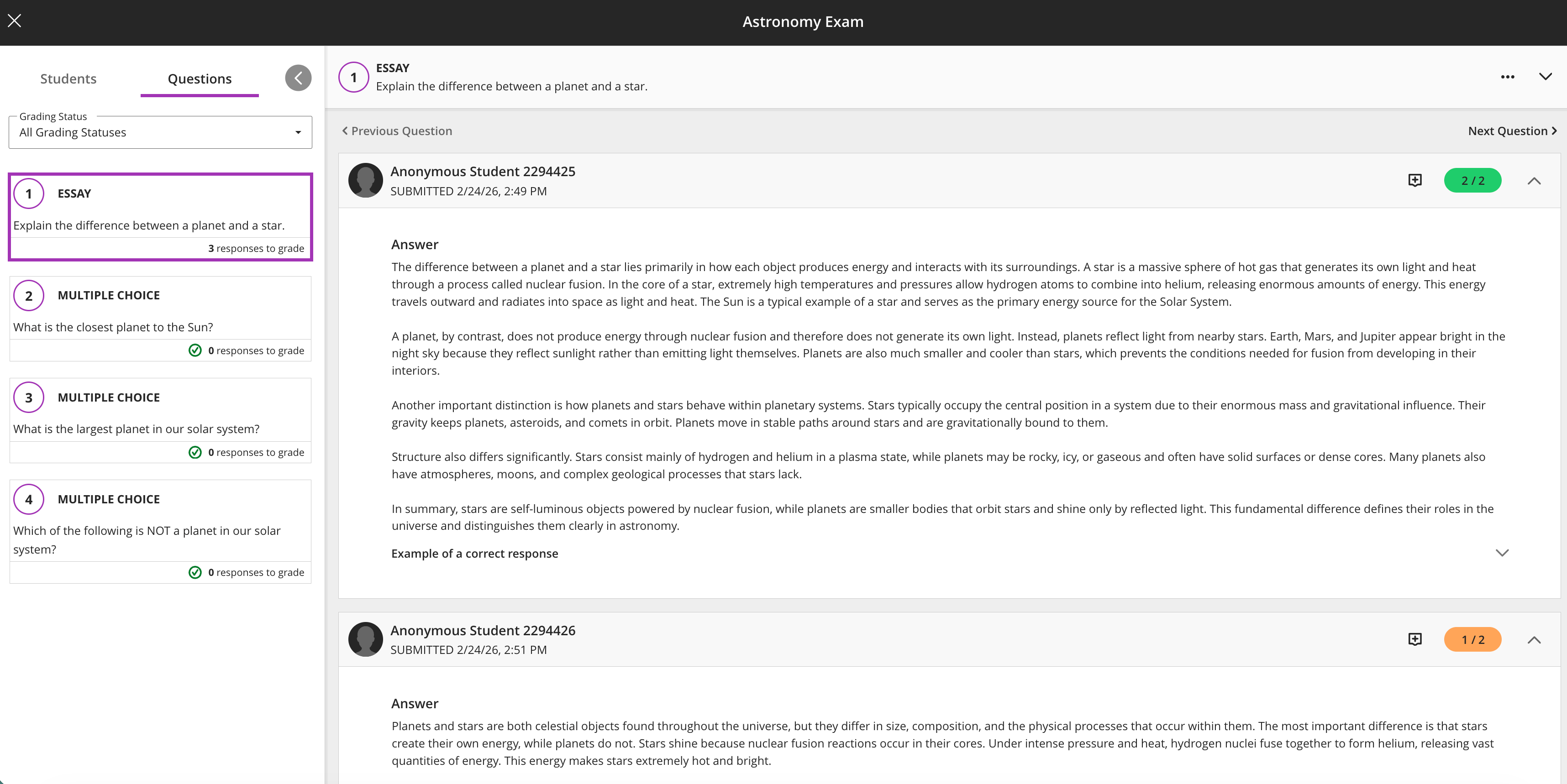
Anonymous grading by question
Recording Tool
- The Recording tool now displays the maximum recording time in both full and minimised views, giving users a clearer sense of time remaining to reduce the risk of unexpected cut‑offs.
- When users create a video/screen recording, the system captures a thumbnail image from the video ten seconds into the recording (and zero seconds for a recording under ten seconds). The thumbnail appears wherever the recording appears, so users can quickly recognise and identify video content before opening it.