
Setting up a simulation in SimVenture Evolution - Staff Guide
SimVenture Evolution is prepopulated with all the data that you need to create a simulation. There are some configurable items, for example, using data for a Year 1 start up scenario or one that covers an established business in Year 4 of trading.
To help you set up your simulation, you will be will be offered a one hour orientation session with a SimVenture Learning & Development Manager (LDM). They will arrange a meeting with you to discuss what your requirements are, so that they can help set up simulation(s) to achieve your specific objectives. Before you request this we recommend you explore SimVenture Evolution as follows:
To start, use the in-system help guides to get a sense of what is possible. To do this, login to SimVenture Evolution using your SimVenture Evolution Co-ordinator username and password.
In the Control Tower select the User Main Menu button.

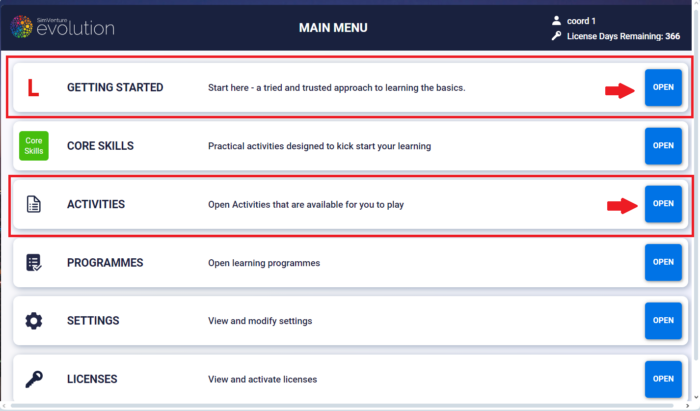
The Getting Started section can be used to learn the basics of how the tool works. Once you understand the basics, open Activities to find sample activities for you to practice/play with, again to help your understanding of what is possible using the software.
Once you have explored SimVenture Evolution, request the LDM orientation session so that they can help set up your simulation(s) to achieve your specific objectives. Please email SimVenture to arrange this session.