
Coming Friday 9th January: Easier navigation in Minerva
On Friday 9 January 2026 you will see changes to Minerva which are designed to make it simpler to navigate your modules and organisations.
Watch the 3 minute video below, highlighting the changes from a student perspective, or read the detailed guidance on this page for further information.
Making things easier for staff and students
The changes are part of a series of enhancements planned throughout 2026 to improve the user experience for both staff and students. They include:
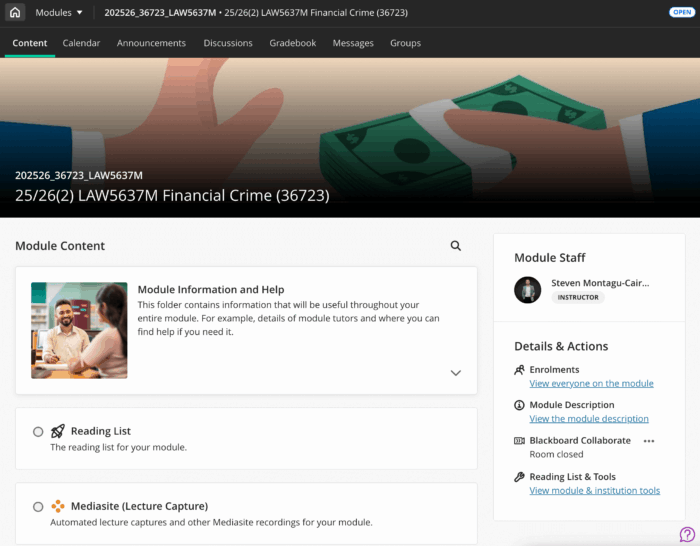
- full-screen pages reducing visual clutter for items in the navigation bar such as Content, Calendar, Announcements, Discussions, Gradebook and Groups
- a module switcher function, allowing you to quickly move between your four most recent modules and giving you access to your full module list
- where there is a module banner this is now full-width displaying the module name and ID freeing up vertical space and improving contextual clarity
The module navigation bar will also now display above the banner (above the module name and ID where there is no banner) and a new Home button will take you to the My Leeds page in Minerva.
All changes will also apply to your Minerva organisations.
What's going to change:
Full-screen module pages
When you open a module, key areas such as Content, Calendar, Announcements, Discussions, Gradebook and Groups will now appear as full pages rather than sliding panels. This means:
- More space for content
- Less visual clutter
- Faster loading times
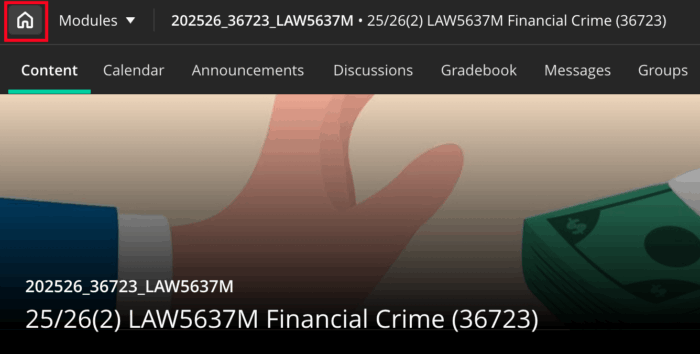
Home button instead of “X”
The old “X” (or close) button, which returned you to the Modules or Organisations page, is being replaced by a Home button that takes you to the My Leeds landing page. The “X” will remain temporarily in some areas but will be phased out in future updates. Use the new module/organisation switcher to move between modules or organisations.
Module switcher
Quickly jump between your four most recent modules using the ‘Modules’ dropdown without going back to the Modules page or select ‘View All’ for the full list. There will be the same ‘switcher’ in organisations.

Banner & navigation bar
If there is a banner at the top of your module or organisation, this will now stretch across the full width of the screen, showing the module title and ID clearly against a high-contrast background. The navigation bar (where you navigate to Calendar/Announcements/Discussions etc) will now display above the module banner (or above the module name/ID where there is no banner).

Updated Minerva Global Navigation Menu and colour scheme
You’ll also notice a refreshed look for Minerva’s Global Navigation Menu (the black menu you use to navigate between different parts of Minerva) and a new colour scheme:
- Your profile (including photo) is now at the top for quick access
- The sign out option has moved to the bottom for clarity
- Active pages, notification icons and the 'X' exit button in sliding panels, now have a teal background


Where can I get help?
If you require support with the changes, you can log in to the IT website and search for: Submit a request. This will direct you to a form where you can create a new IT ticket and provide details of your request. Please title your request ‘Minerva Navigation Changes Query'.