
Minerva update - 16 October
- Tags
- News for Staff
The update brings a new module rubric page, improvements to both the Gradebook and the Beta Content Editor and also a new language option for AI Conversations.
Module Rubric page
The new Module Rubrics page lists all the Blackboard rubrics used in the module. From this page you can search for rubrics. There are also options to duplicate/export/import rubrics.
The Module Rubrics page is accesed via the Gradebook. Navigate to the Gradebook and then select the settings icon (top right):
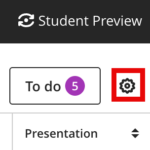
A settings panel will open. Scroll to the bottom and select the manage module rubrics option (under Module Rubrics).
Read our guide on Blackboard Rubrics for more information.
Gradebook Improvements
Additional data in Gradebook Grid View
In Gradebook grid view, staff can now view the student username and last access date. To add this information to grid view, select the settings icon (top right):
A settings panel will open. Under 'Student options' you can now also choose whether to include the student username and last access date.
Students with exceptions - Grid View
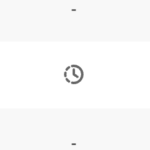
For Blackboard assessments, students can be assigned individual due dates or additional attempts. Where this is done, the Grid view now places a clock icon in the relevant cell to highlight this:
Points possible now displays in Gradebook list view
The points possible for each assessment is now displayed by default in the Gradebook list view:

Language option for AI Conversations
Staff can create an AI Conversation in Minerva to engage students in a role-play activity with an AI persona. Staff can now set the language an AI Conversation is conducted in. When a language is enforced, the AI responds in that language for the entire conversation and will not switch, even if a student asks it to. This gives instructors a reliable way to keep language-practice activities in the target language, so students cannot opt out of the challenge partway through.
The language setting is in the Advanced Options (part 2 of setting up the AI Conversation).
Read the staff guide on AI Conversation for more information.
Beta Content Editor
In August, a new editor was introduced in Minerva Documents. In time, this editor will be used throughout Minerva. In Minerva Documents, you can select the new editor or 'classic' (current) editor after you select the Content option. Updates have been made to the beta editor.
Keyboard navigation and accessibility
- Staff can now navigate the inline toolbar using the arrow keys instead of the Tab key for a more intuitive keyboard experience.
- In the Edit, Format, and Insert menus, using the up or down arrow key now moves the selection one item at a time; previously, the selection could skip items unexpectedly.
- Keyboard shortcuts display plain text (for example, Command and Control) instead of Unicode symbols, making shortcuts easier to read and more consistent across platforms.
- Staff can now use the Delete or Backspace key to decrease a paragraph's indentation level.
Code formatting
Formatting multiple selected lines as a code block now creates one combined code block, rather than converting each line into its own separate block.