
Blackboard Grading Rubrics - Staff Guide
Blackboard (Minerva) Grading Rubrics are a different tool to the Rubrics available in Turnitin. Blackboard Rubrics cannot be used in Turnitin. Read the Turnitin guide on Rubrics for information if you are marking in Turnitin.
Blackboard Grading Rubrics can be created for Blackboard Assignments (including offline assessments), Blackboard Tests, Minerva Journals and Minerva Discussions.
Introduction to Rubrics
Blackboard Grading Rubrics are a teaching and grading scoring tool which allow you to formalise grading schema for an assessment item. They can help instructors communicate grading methodology and expectations to students. Rubrics are not exclusively related to summative assessment - they may be used for feedback in any kind of assessment.
Blackboard Grading Rubrics consist of criteria and expectations related to the learning objectives of the assessment item.
Instructors can create rubrics from the Module Rubrics page or assessment settings before creating the assessment. Blackboard Grading Rubrics can be created for Blackboard Assignments (including offline assessments), Blackboard Tests, Minerva Journals and Minerva Discussions.
Different types of Blackboard Grading Rubric can be created including
- Percentage-based
- Percentage-range
- Points-based
- Points-range
- No-points
Instructors can also associate existing rubrics with assessment items as long as the item has not been graded. An assessment item can have only one Rubric associated with it.
Module Rubrics page
The Module Rubrics page lists all the Blackboard rubrics used in the module. From this page you can search for rubrics. There are also options to duplicate/export/import rubrics (see the Reuse Rubrics section below for more information).
The Module Rubrics page is accesed via the Gradebook. Navigate to the Gradebook and then select the settings icon (top right):
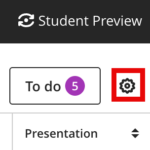
A settings panel will open. Scroll to the bottom and select the manage module rubrics option (under Module Rubrics).
Reuse Rubrics
You can reuse rubrics by either copying them between modules or by using the export/import functions on the Module Rubrics page. You can also duplicate rubrics if you want to copy and amend a rubric for another assessment in the same module.
Import/export rubrics
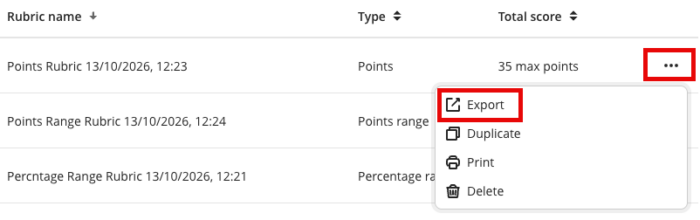
Navigate to the Module Rubrics page. Click the three dot icon next to a rubric to export it:
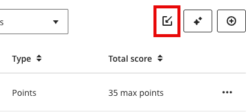
To import, select the import icon (top right). Only exports of Blackboard rubrics will be accepted:
Duplicate rubrics
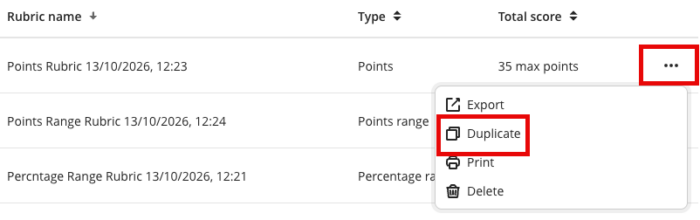
Navigate to the Module Rubrics page. Click the three dot icon next to a rubric to duplicate it:
Copying rubrics from one module to another
The Minerva copy functionality can be used to achieve this. When copying, you will see a folder for the Rubrics:
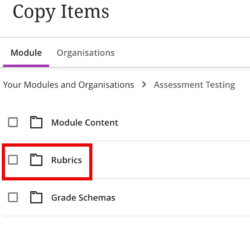
Click on the folder name to select individual rubrics.
For further information on copying content see the Copy Content guide.
Read - Understanding Blackboard Grading Rubrics
For more information and guidance on how to set up Blackboard Grading Rubrics, see the Rubrics guide on Blackboard's website.
Watch - Rubrics in Blackboard Learn
Learn how to create rubrics in Blackboard Learn (2:04 minutes).