
Known Issue: Downloading Turnitin digital receipt
What's happening?
There is a known issue affecting students attempting to download their digital receipt on Turnitin. Students will see an image of a Turnitin login screen instead of details of their submission when clicking the download digital receipt icon.

What do I need to do?
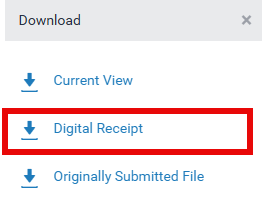
Students should select their assignment name under Paper Title to open their assignment in Turnitin Feedback Studio and then select the Download icon.

From the Download menu select Digital Receipt.
What happens next?
We have reported this to the supplier who is working to resolve the issue and we will provide updates as we have them.
We apologise for any inconvenience this may cause.