
Getting Started with Panopto - Staff Guide
In this guide
What is Panopto?
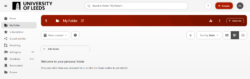
Panopto is the lecture recording and media enhanced learning platform (MEL) used at the University of Leeds. Beyond high-quality lecture capture, Panopto enables both staff and students to record, edit, and stream digital media content that can be shared across the university community and beyond. It serves as a central hub for all media-based learning materials, including recorded lectures, video assignments, Minerva welcome videos, and much more.
How can I use Panopto?
Recording and Capture
- Create lecture recordings - In lecture theatres and teaching spaces, sessions are automatically captured when scheduled through the central timetabling system. Recordings are typically available to students in each Minerva module folder two working days after sessions conclude.
- Manual recording - Use Panopto's desktop recorder or web-based recording tools to create content from your office or home. Record screen presentations, webcam footage, or both simultaneously to create comprehensive learning materials.
Content Creation and Management
- Create and edit videos - The Panopto video editor enables you to produce and refine video content with professional-quality results. Add chapter markers to help students navigate longer recordings, trim unwanted sections from the beginning or end of captures, and upload captions or transcripts when available to improve accessibility.
- Edit automatic recordings - Review and modify automatically recorded lectures before they are released to students.
Sharing and Distribution
- Share videos with students and colleagues - Integrate your Panopto content seamlessly into Minerva module pages, where videos appear as embedded players. You can also share individual videos or entire folders with specific users or groups, controlling viewing permissions as needed.
Assessment and Engagement
- Set video assessments - Configure video assignment submissions through Minerva, allowing students to record presentations, demonstrations, or reflective pieces as part of their coursework. You can provide detailed submission guidelines and rubrics within the assignment setup.
- Add interactive quizzes - Enhance student engagement by embedding quiz questions at specific points within your videos. These can serve as knowledge checks, formative assessments, or tools to encourage active viewing rather than passive consumption.
Learn more
Learn more about Panopto for Higher Education.
< Return to Panopto Staff Guides
Page last checked: September 2026